


Finally, the embarrassing username era of kolasneh123@gmail.com and lilpresh3000@gmail.com is coming to an end.
For years, your Gmail address has been a digital tattoo. Whatever chaotic choice you made at 16 stayed with you through job applications, bank alerts, and serious adult life. But that era may finally be ending.
Google is set to allow users to change Gmail address details without losing emails, files, or their entire online identity. 

Say Goodbye to Permanent Gmail Regret
For nearly two decades, Gmail usernames were basically locked in. Aside from adding dots or tweaking your display name, your actual ‘@gmail.com’ address was untouchable.
According to a new update on the Google support page spotted in select regions, that rule is changing. Soon, some users will be able to change Gmail address details while keeping their account, data, and subscriptions intact.
For the most part, everything stays the same except the shame.
How the Gmail Address Update Works
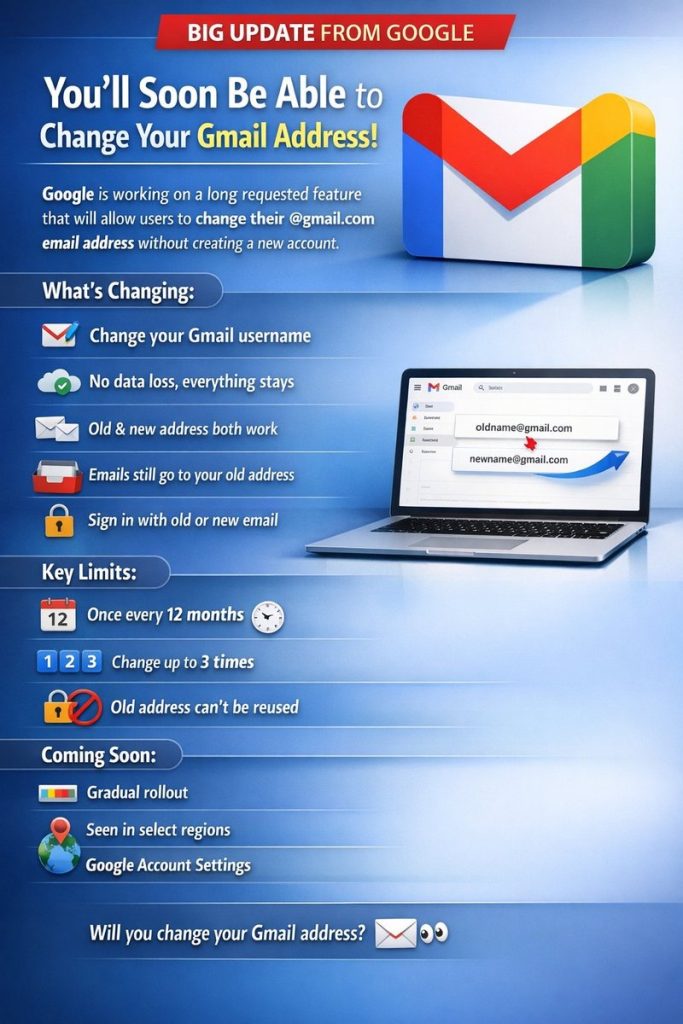
When you update your Gmail address, Google doesn’t delete the old one. Instead, it turns into an alias.
Emails sent to both the old and new addresses land in the same inbox, and you can sign in using either.
Google services like Drive, Photos, YouTube, Maps, and purchases stay exactly as you left them. It is more of a rebrand than a reset.
The Fine Print (Because It’s Google)
Before you get carried away, there are limits:
- You can change Gmail address once every 12 months
- You can do it a maximum of three times
- Your old address can’t be deleted or reused
- All addresses remain linked to your account forever
So choose wisely. This is not a weekly aesthetic refresh.
Possible Headaches to Watch For When You Change Email Address
Chromebook users may experience sign-in issues, since devices are tied to a primary account email. Third-party apps that use ‘Sign in with Google’ might also need manual email updates.
The good news, however, is that password resets still land in your inbox via the old alias. Google thought this through, for the most part.
Can You Change Your Gmail Address Now?
Not yet. The feature is rolling out gradually and currently appears on support pages in limited regions. Once it’s live for you, the steps are simple:
Open Google Account → Personal info → Contact info → Email → Change Gmail address
Until then, your old email address remains.
About The Author