



Not every status is meant for everyone on your contact list. Your church choir doesn’t need your owambe pictures, and your customers don’t need your family gist. That is where WhatsApp group status comes in.
WhatsApp announced the feature and in its own words:
“Everyone in the group can view, react, and add their own status.” Like a normal status, it disappears after 24 hours. 
How WhatsApp Group Status Works
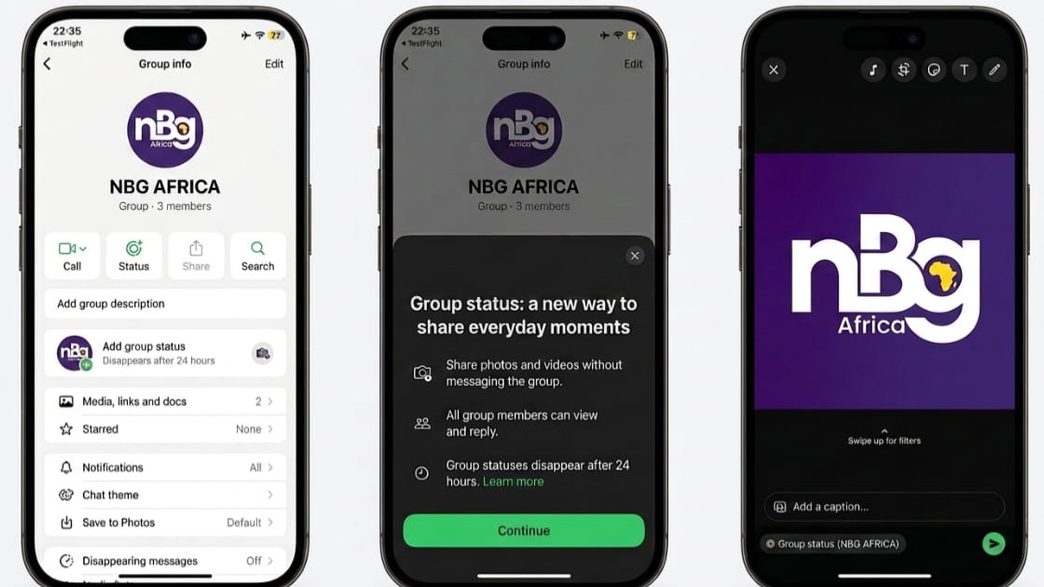
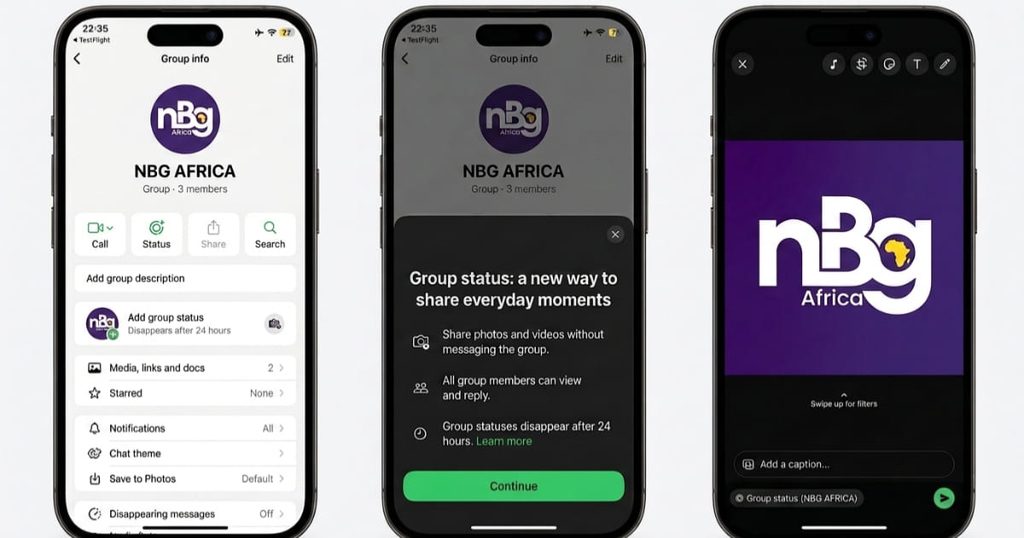
A group status is an update you share with one particular group, instead of with all your contacts. Only members of that group can see it. They can also react to it and post their own status for the same group.
So your estate group can see your “light is back” update, while your work group sees nothing. Meanwhile, your regular status stays exactly as it was.
ALSO SEE: Why Your Data Finishes So Fast: MTN Nigeria Explains
How to Post One
WhatsApp hasn’t published step-by-step instructions yet. However, guides based on early test versions describe this route:
- Update WhatsApp from the Play Store or App Store.
- Open the group you want to share with.
- Tap the group name to open its info screen, then look for the group status option.
- Add a photo, video or text, then post.
WhatsApp says new features take time to reach everyone, so don’t worry if you don’t see it yet.
The Privacy Catch
Before you post, remember that a group status goes to every member of that group. That includes people who don’t have your number saved, unlike your normal status. Your usual status privacy settings won’t protect you here.
Therefore, check who is in the group first, especially in large estate, school or business groups. And as always, anyone can take a screenshot.
Ways to Use It
For small business owners, it’s an easy way to post new stock to your customers’ group only. Families can share birthday or wedding updates without the whole world watching. Likewise, church, alumni and estate groups can share notices that disappear in a day.
READ ALSO: Apple Set to Launch AirPods With Built-In Cameras

About The Author